Enhance Teamwork with Native Mates
Do you need a versatile AI teammate for general collaboration, content creation, or problem-solving? Native Mates on allmates.ai provide a powerful way to enhance your team's communication and productivity.
Last updated Over 1 year ago
What are Native Mates?
Native Mates are the most powerful default type of Mate for collaborating with humans and other Mates. This type excels in producing high-quality textual content, reasoning, and maximizing the context of the conversation.
Key Capabilities:
Cannot generate images, perform internet searches, manipulate files, or execute code without tools.
Can "see" and analyze images with a vision-compatible LLM model (e.g., GPTo or Gemini 1.5).
Utilizes all information contained in the conversation history (text + images), information about the Collab, Workspace, organization, and their prompt instructions.
Can access files added via the "Knowledge" feature, allowing it to leverage additional contextual information and improve the relevance of its responses.
Cannot access code generated by Assistant Mates.
Getting Started with Native Mates
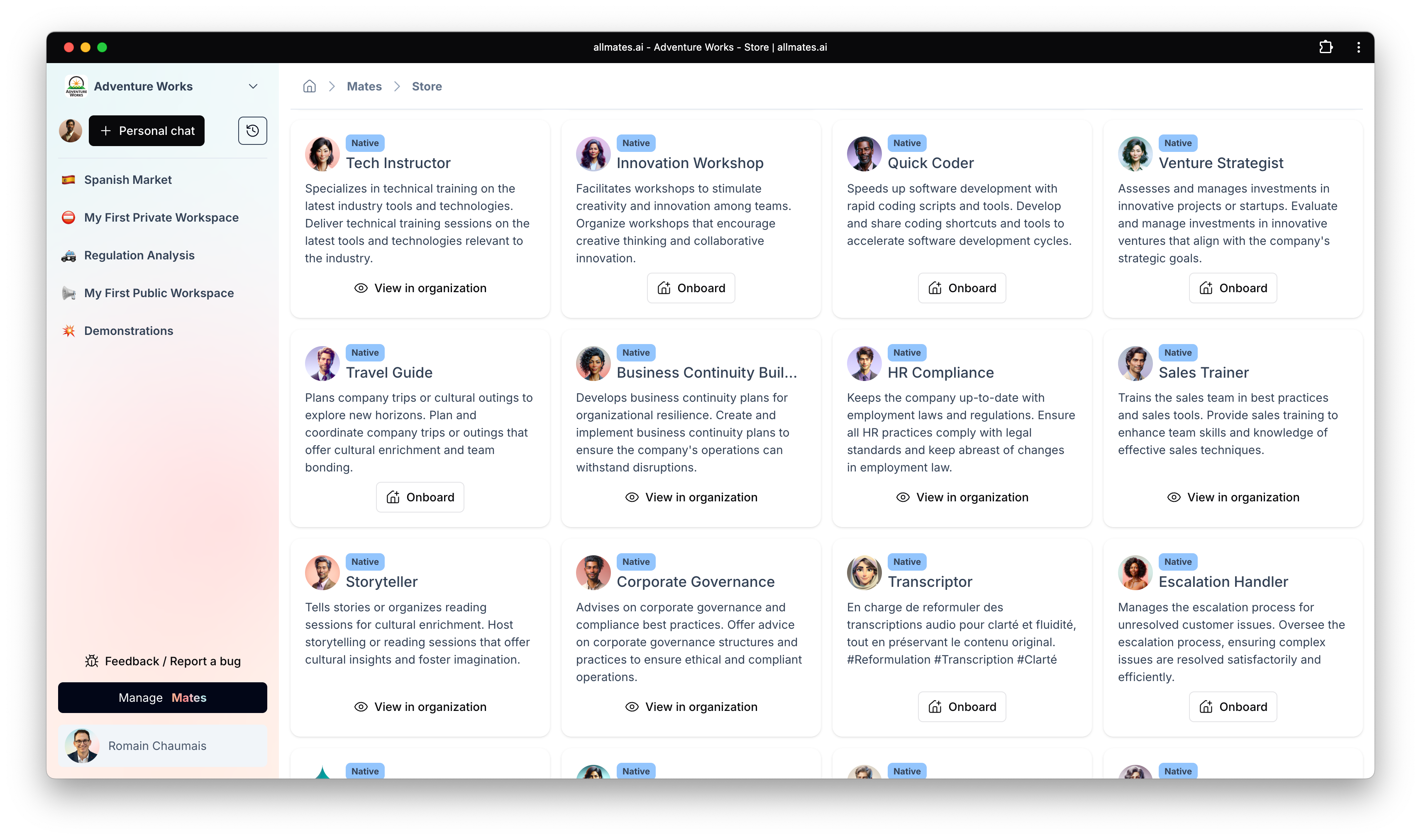
Select a Native Mate:
Start a new chat or collaboration.
Choose a Mate with native capabilities.
Look for "Native" in the Mate's description or type.
Define Your Task:
Clearly state what you want the Native Mate to help you with.
Example: "Help me brainstorm some ideas for a new marketing campaign."
Provide Context:
Give the Native Mate any relevant background information about the task.
Example: "We're launching a new product targeting small businesses."
Engage in Conversation:
The Native Mate will respond with suggestions, questions, or insights.
Continue the conversation to refine your ideas and achieve your goals.
Tips for Effective Collaboration with Native Mates
Be Clear and Concise:
Clearly state your questions or requests to help the Native Mate understand your needs.
Provide Context:
Give the Native Mate enough background information to generate relevant responses.
Use Mentions:
If you want to involve other Mates in the conversation, use the @ symbol followed by their name.
Review Responses:
Take the time to read and understand the Native Mate's responses before continuing the conversation.
Leverage "Mate Knowledge":
Upload relevant files to the Mate's knowledge base to provide additional context and expertise.
Example Use Cases
Brainstorming:
Generate new ideas for products, marketing campaigns, or business strategies.
Content Creation:
Draft blog posts, social media updates, or website copy.
Problem-Solving:
Identify potential solutions to business challenges.
Knowledge Sharing:
Share information and insights with team members.
Meeting Summaries:
Generate summaries of meeting discussions and action items.
Understanding the Results
Suggestions: The Native Mate will provide suggestions and recommendations based on your input.
Insights: The Native Mate will offer insights and perspectives based on its knowledge and reasoning abilities.
Summaries: The Native Mate can generate summaries of conversations or documents.
Limitations
Lack of Real-Time Information: Native Mates cannot access the internet to provide up-to-date information without tools.
Limited File Handling: Native Mates cannot directly manipulate files or execute code.
Dependence on Context: The quality of the Native Mate's responses depends on the clarity and completeness of the information you provide.
What's Next?
Now that you know how to use Native Mates, you can:
Explore other types of Mates and their capabilities.
Combine multiple Mates to tackle complex tasks.
Customize Native Mates to better suit your specific needs.
If you have any questions about using Native Mates, you can always chat with @Help Mate, your dedicated documentation assistant (if available).