Asking a Mate about your analytics (Allmates Analytics tool)
Add the Allmates Analytics tool to a Mate and ask it about your organization's usage in a conversation.
Last updated About 12 hours ago
The Allmates Analytics tool lets a Mate answer questions about your organization's usage in a conversation: messages, conversations, Mates, tools, tokens, credits and costs. The Mate reads the same data as the Analytics dashboard. Each member gets the answer their own analytics access allows. This article is for members who want to ask these questions, and for the people who set up the tool.
The tool works only in organizations that have Analytics.
Set up the tool
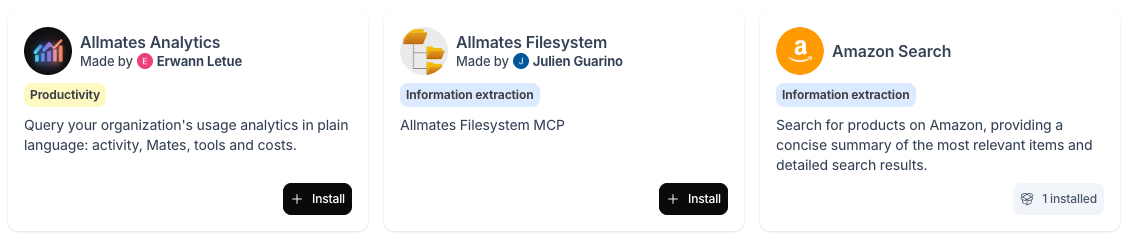
- Open the Tool Store and find Allmates Analytics.
- Add it to your organization's Toolbox. The tool needs no account and no key.
- Attach the tool to the Mate that will answer analytics questions.
For the detailed steps, see "Discovering the Tool Store" and "Managing a Mate's Tools: Attaching and Detaching Capabilities".
Ask a question
In a conversation with the Mate, ask your question in plain language. Examples:
- "How many messages did the organization send last week?"
- "Which Mates were used the most this month?"
- "How many tokens did each model consume over the last 30 days?"
- "What did I do with my Mates this week?"
One question can show several tool calls in the conversation.
What each member gets
The tool answers with the access of the member who asks the question, not the access of the person who installed the tool:
When a User without full access asks about the whole organization, the Mate answers with that User's own figures only and tells them that the answer covers their own activity only. Other members' figures are never returned.
When a Viewer asks, the Mate answers that they have no analytics access.
To give a User access to the organization figures, an Owner or an Admin turns on Analytics full access for that member. See "Getting Started with Analytics".
Good to know
- The tool reads only the organization it is installed in. A Mate cannot read the figures of another organization, even if you belong to several.
- The tool only reads data. It cannot change anything in your organization.
- The data is refreshed every hour. Very recent messages can be missing from the answer.
- If the Mate cannot check your access, ask the question again after a moment.
- The tool uses the same figures as the dashboard. To check an answer, open the matching page in Analytics on the same period.